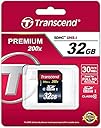
💼 Elevate your digital arsenal with Transcend’s powerhouse SD card — because your memories deserve premium speed and reliability.
The Transcend 32GB SDHC Class 10 Flash Memory Card delivers high-capacity storage with ultra-fast 30MB/s transfer speeds, ideal for professional-grade HD photography and Full HD video recording. Featuring built-in error correction (ECC) for data integrity and broad compatibility with SDHC devices, it’s a trusted choice for millennial professionals seeking dependable performance and seamless media management. Backed by a limited lifetime warranty and free recovery software, this card ensures your digital content stays safe and accessible.


| ASIN | B003P3MCXW |
| Additional Features | Class 10 |
| Best Sellers Rank | #169 in SecureDigital Memory Cards |
| Brand | Transcend |
| Color | Blue |
| Compatible Devices | Camera |
| Customer Reviews | 4.6 out of 5 stars 46,023 Reviews |
| Flash Memory Type | SDHC |
| Global Trade Identification Number | 00163120468157, 00760557818373, 07038557113372 |
| Hardware Connectivity | SDHC |
| Item Weight | 2 Grams |
| Manufacturer | Transcend Information |
| Media Speed | 30MB/s |
| Memory Storage Capacity | 32 GB |
| Model Name | FBA_TS32GSDHC10 |
| Model Number | TS32GSDHC10 |
| Secure Digital Association Speed Class | Class 10 |
| UPC | 803983009080 887599401001 885782164856 809390015225 885782164948 163120468157 971472628583 760557818373 887529335291 778890846526 808112768746 617297056414 999994698792 806296584282 |
| Unit Count | 1.0 Count |
| Warranty Description | Limited Lifetime Warranty |
| Warranty Type | Limited |
T**K
Great, Above spec. Pay no attention to the 1 stars
The 1-star threads are like watching a committee of blind men describing an elephant. Unsurprisingly, no one has the complete picture, but a lot of Canon owners think these cards are bogus. SD card technology is very complex, the Class system is often misunderstood, and there is a long history of compromised cards appearing on eBay -- or even from reputable dealers who have been hoodwinked. Kingston cards are most often faked (or taken from the midnight production run); that's because Kingston has about a third of the flash card market and doesn't forge their own chips, but any manufacturer can be spoofed. It doesn't pay to buy cheap cards on eBay or less reputable sources. An SD card contains a controller chip and flash memory chips, even the microSD versions. Realize that SD means Secure Digital, and that security comes from crypto managed by the controller (MMC cards didn't have that bloat, but Hollywood DRM requirements made sure they faded.) The controller can be pretty powerful: the Samsung SD controller is a 32-bit ARM TDMI chip with 128 k of code space -- that's cell phone power. It handles I/O and fading (when the card slowly wears out its NAND sites after about 100,000 hits so writing is randomly distributed and kept track of), the factory self-test, and a host of other functions, but it can also be programmed to report a false storage capacity. Sometimes the firmware on the controller or its crypto or something else on certain cards leads to problems with certain hardware, as it has, for example, with the Samsung Galaxy III and maybe the Canon cameras. Usually the card is found to confirm to SDcard dot Org specifications and the hardware is to blame, but you never know. To test the actual capacity of your card, use H2testw, which is free. It writes the full amount of data to the card and then reads it back (this nukes whatever was on the card). This can take more than an hour with a 32 GB card but it tells you if the card indeed holds 32 GB or has problems. It also gives you read and write speed numbers, but it's unclear whether the numbers are for random read/write, or sequential read/write. Sequential write is what photographers and videographers care most about. Sometimes a Class 6 card might test faster than a Class 10 card, when using computer read/write tests or even in a camera that wasn't designed with higher capacity cards in mind. That's because they use smaller block sizes (there's no cache on an SD card). Explaining the significance of this is getting too far into the weeds for an Amazon review, and modern devices and their firmware should not have that limitation. To test random and sequential read/write speed, use CrystalDiskMark, also free. Run the full suite; it won't take long. CrystalDiskMark requires that the card be formatted, and the most reliable way to do that is to use the free tool from sdcard dot org. A 32 GB card will may report 39.9 GB before formatting and 29.8 GB after; don't worry, you haven't been ripped off. Unfortunately, there's no easy way to read the manufacturer's ID off the SD card, even in Linux, to determine who actually made the card, because you have to have it connected directly to a motherboard; an SD-to-USB adapter won't work because it doesn't pass through disk data, and that's what's in nearly all computers. But what do you care, so long as the card's as big and fast as claimed? Now, what about the Transcend 32 GB SDHC C10 card? Here are full test results from CrystalDiskMark: Transcend 32 GB SDHC C10 ----------------------------------------------------------------------- CrystalDiskMark 3.0.2 (C) 2007-2013 hiyohiyo Crystal Dew World : [...] ----------------------------------------------------------------------- * MB/s = 1,000,000 byte/s [SATA/300 = 300,000,000 byte/s] Sequential Read : 19.953 MB/s Sequential Write : 13.786 MB/s Random Read 512KB : 19.618 MB/s Random Write 512KB : 13.827 MB/s Random Read 4KB (QD=1) : 3.003 MB/s [ 733.2 IOPS] Random Write 4KB (QD=1) : 1.414 MB/s [ 345.1 IOPS] Random Read 4KB (QD=32) : 3.491 MB/s [ 852.3 IOPS] Random Write 4KB (QD=32) : 1.842 MB/s [ 449.8 IOPS] Test : 50 MB [F: 0.0% (0.0/29.3 GB)] (x5) Date : 2013/05/12 18:19:47 So you can see that the sequential write speed, what matters to a photographer or videographer, is over 13 MB/s, more than 30% above the C10 spec. The other speeds aren't to shabby, either. There's no way that this card is too slow for a contemporary camera, still or video, that is functioning properly. Also on Amazon for a very attractive price is a Sony 32 MB SD card. Here are the full CrystalDiskMark test results for it: Sony 32 GB SDHS USH-I Sequential Read : 19.998 MB/s Sequential Write : 14.115 MB/s Random Read 512KB : 19.772 MB/s Random Write 512KB : 13.173 MB/s Random Read 4KB (QD=1) : 3.682 MB/s [ 899.0 IOPS] Random Write 4KB (QD=1) : 2.302 MB/s [ 561.9 IOPS] Random Read 4KB (QD=32) : 4.517 MB/s [ 1102.8 IOPS] Random Write 4KB (QD=32) : 2.323 MB/s [ 567.0 IOPS] So the Sony is slightly faster, 40% over spec. H2testw also reported full capacity and no errors for this card, so they are both top notch (The Sony doesn't come with a little case and the case for the Transcend case is about twice as big as it needs to be and so won't fit in the little pockets in a modern camera bag. Big deals.) Just for reference, here are the results for a contemporary USB thumb drive: SanDisk Ultra 32 GB USB thumb drive Sequential Read : 22.508 MB/s Sequential Write : 7.985 MB/s Random Read 512KB : 22.365 MB/s Random Write 512KB : 1.767 MB/s Random Read 4KB (QD=1) : 3.719 MB/s [ 908.1 IOPS] Random Write 4KB (QD=1) : 0.520 MB/s [ 126.9 IOPS] Random Read 4KB (QD=32) : 3.871 MB/s [ 945.0 IOPS] Random Write 4KB (QD=32) : 0.482 MB/s [ 117.7 IOPS] As you can see, this USB drive is faster than the SD cards for reading, such as playing music, running software, or looking up data, which shows that it is nicely optimized for its intended functions. As an aside, anyone who thinks they have lost data on an SD card can recover pictures using the free tool at z-a-recovery or recover everything(!) with the free PhotoRec tools. So, if people want to whine about these SD cards in their particular cameras, they should run these simple, free tests and reach their own conclusions about whether the cards are "too slow." The cards test above spec objectively. And they both work flawlessly on my still (not Canon) and video cameras. I think they have gotten a bad rap here from people who don't have the full picture, so to speak. I'll also post this as a review, and on the Sony 32 GB page, too. I hope you found it informative.
J**N
Good choice for automotive media players.
This works very well for my application, which is in a 2015 Dodge Durango SD slot (UConnect 8.4N RA4). Many car SD card slots are limited to cards formatted with the FAT32 filesystem, and the maximum size of a card formatted with FAT32 is (as the name implies) 32GB, so for a lot of cars, this is the best you'll get without some luck and or/hacking. Many also list a maximum speed "class" of 8, but selection of those is pretty slim and usually far more expensive these days. Oftentimes, Class 10 will work just fine. I've owned several Transcend products, from flash drives to SD cards to an SSD, and I've never had a single issue. Flash memory is inherently stable, of course, but Transcend has yet to let me down. I use their flash memory in my phone, car, and computers. Sure, you could spend more, but really, flash memory is made in two factories, that's it. Both make good products, and you'll get the same thing no matter what the label is, as long as it is a recognized name brand and not a nonbranded knockoff which often uses far smaller capacity chips than listed. Transcend offers great value and a recognized name. With Class 10 speeds, the card ceases to be a bottleneck like they were years ago. YOu may notice it takes some time to completely fill the card with ~30GB of data, but that's to be expected with SD currently.It certainly won't slow down reading of music or writing of photos from the camera. Fully Class 10 compliant, Transcend’s Premium SDXC/SDHC Class 10 Cards help improve camera response with ultra-fast read speeds of up to 30MB per second. This outstanding performance is ideal for capturing high-resolution photographs and flawless Full HD videos.Transcend's SDXC/SDHC Class 10 Series memory cards come in a wide range of capacities from 8GB to 128GB to fit your storage needs. Whether you have a simple point and shoot or a high-end DSLR, they are the perfect everyday SDHC card to have during all occasions. The versatile SDXC/SDHC Class 10 cards support the latest Class 10 compliant cameras and camcorders, and are also backward compatible with any devices below Class 10. To improve post production efficiency, maximize the transfer rate by pairing the SDHC card with Transcend's USB 3.0 RDF8 Card Reader to achieve a speed of up to 22MB/s. With a purchase of Transcend’s SDXC/SDHC Class 10 memory cards, you can download RecoveRx software for free. This user-friendly application allows you to conduct an in-depth search within your storage device for traces of erased files to be recovered.
F**K
Fast and Reliable Performance - I get 44 Mb/s Read & 27 Mb/s Write
Between the two recent AirShows ( Wings Over Camarillo, CA and MCAS Miramar, San Deigo-CA ) and over 1200 pictures that I've taken at these events I can highly recommend you this Inexpensive and reliable SD card for your DSLR Camera Performance ------------------ - I purchased this SD card from Amazon specifically for the two Airshows mentioned above that I had been planning to visit for almost an year now and I wanted something fast , reliable and one that does not break the bank for my Nikon D5100 DSLR kit. And based on those parameters and my experience, it fits the bill perfectly - I used this SD card for several sustained 'Burst Shots' in Sports mode for capturing fast moving aircraft or taking a fast pic at the right moment when to aircraft were doing a fast head-on flyby (see pics) and this card did not let me down in any of those moments - I also did a synthetic benchmark performance test using the free software CrystalDiskMark : Claimed Performance : "Upto" 30 Mb/S Read and Write, 10 Mb/s Guaranteed Actual Performance : 44 Mb/S Read Max , 27 MB/s Write Max Overall Read Performance : 31 % Faster than max theoretical value claimed Overall Write Performance : 11% Slower than max theoretical value claimed The Good ------------- - Solid real world performance for taking Hi-Res RAW images in Burst mode without any issues - Excellent synthetic performance in benchmark tests as well - Comes with a plastic case for safe storage - Super inexpensive - 30 GB usable storage space - Good warranty policy Cons -------- - I have nothing to complain about this card at its price point - A word of warning thought , because this SD card is so popular, there are plenty of fakes out there , I would HIGHLY recommend verifying your product serial number with the Product Verification Tool on Transcend's official website Final Thoughts ---------------------- If you are looking for a good , reliable SD card that is good enough for fast, sustained burst photography that does not break the bank, you are looking at the right place. I can highly recommend this card
S**.
good product
nice as expected
H**M
Repeat Buyer of Transcend Memory Cards - Works Great
For my wedding back in May 2012, I received one of those LCD digital picture frames from one of my previous coworkers. I previously purchased a Transcend 8GB Class 6 SDHC memory card Transcend 8 GB Class 6 SDHC Flash...
G**R
It does the job very well for my application
I've seen most all of the reviews here for this item's rating on read/write/transfer speed in cameras. That's all well and fine, but my application is a GPS, a DeLorme PN-40 to be exact. I purchased this card to keep all my TOPO9 maps so I won't have to load and unload whenever I go to different places to geocache. Note, if you have a PN-40 and want to load the entire TOPO9 series, you WILL need a 32GB card. Keep in mind now that the formatted size is 30.2GB, but yes, you will have a lot of space left over for POIs, too. Let's talk speed. I also have a Garmin GPS, and map update downloading takes about an hour or so for roughly 1GB transferred and configured mapping to internal memory. I inserted this particular card into my laptop, formatted it to FAT32, installed to my DeLorme GPS, fired up, and the card was immediately recognized. I began to install the TOPO9 maps through my laptop (lower 48 only) and watched the process. Two hours went by and only the first disc of four had been loaded. Upon looking at what had taken place, I saw that over 4GB had been written in two hours. A quick calculation told me that was about twice the speed as the Garmin download. In the end, close to 22GB had been written in about eight hours. Not bad at all in my book. There was right at 8GB of space left over for POIs and waypoints - far more than I'll use, I'm sure. As for boot up time, it now takes the GPS about another 12 seconds to boot up and begin looking for satellites, than it did with no card in the slot. Again, not bad at all. I bought mine at a very competitive price, but I see the price changes constantly. If knowledge serves me correctly, this card, as all memory, is a commodity item, so the price will fluctuate. When I bought mine, the price had changed three times in one day. I got mine in the middle of the range. Keep watching it because the price will change because it's the nature of the beast. I can't fairly compare it to the others at twice or three times the price, but I can say I am very pleased with the performance. I have not tried this card in a camera, so I cannot rate it one way or the other in that application. For the money, this card does the trick in a GPS.
R**Y
High Capacity, Low Price, Good Value, Slow w/ RAW Photos
I recently purchased a Canon Rebel T2i since I didn't need the relatively minor updates made in the T3i (at least not enough to justify the higher price). I wanted to get a few SDHC cards to test for performance purposes, since the T2i strongly recommends a class 6 or higher for optimum performance. Many have reported that less than class 6 will also slow down HD video recording, but that is specific to the T2i... If you understand SDHC card speeds and rating, skip ahead, otherwise, please read on... SDHC classes are used to define minimum read and write speeds. In my opinion, the write speed is much more important than the read speed since it allows your camera/video to process what you're doing and not slow down due to buffering or waiting for the card to write. SDHC Class 10 is defined as achieving a minimum r/w of 10MB/s (according to wikipedia: [...]. There does not appear to be a higher class than 10, at least according to wiki. A class 10 card is associated with a 66x rating. So class 10 = 66x "speed". (I'm not a major techie, so please correct me if this is not accurate... I generally rely on wikipedia for this stuff). This card is rated as a class 10, 133x speed (speed is noted on the package, not the card itself). For a card integrity and performance "simulation", I used H2testw with the Sandisk MicroMate SD / SDHC Memory Card Reader (Static Pack, New, SDDR-113) connected to a USB 2.0 port. The following are my test results: Warning: Only 15378 of 15379 MByte tested. Test finished without errors. You can now delete the test files *.h2w or verify them again. Writing speed: 15.9 MByte/s Reading speed: 17.1 MByte/s H2testw v1.4 The warning message can be disregarded due to the FAT file structure and the program cannot test the portion of the SDHC card that has basic file structure data. Photo Testing: (1) Raw + Large Superfine (5184x3456): On continuous shooting mode it shot at maximum speed for about 3-5 photos and then slowed considerably, taking a photo every 0.75-1.00 seconds (again, using the T2i). (2) Raw only (5184x3456): On continuous shooting mode it shot at maximum speed for 6 shots and then slowed down as noted in (1). (3) Large Superfine (5183x3456): It does not slow down after taking 32 continuous photos, but note that if your goal is to get raw photos, this may not be your best option if you need multiple bursts. Video Testing: Used HD 1920x1080 30fps and the video recorded for 2 minutes with no issues. Conclusion: The card exceeds the minimums for a Class 10 designation. However, it does not achieve the 133x (20MB/s) speeds that it claims. For most people, this should not be an issue. Check your device and do some research on the web to determine the appropriate memory card for your use. Overall, the 15.9MB/s vs. claimed 20Mb/s is not a deal breaker by any means to me, so I plan to keep the card and use it in this camera as a backup (using a 32GB card as a primary). I'll update this review if there are any performance and/or product issues.
S**C
Great Value for the Price
Update 3/6/2012 I own about 20 Transcend cards now. They have all worked without an issue untill today. I dread calling any company for return support because it usually is such a tortured experience...(Ever tried calling SanDisk for product support?) Withing 20 seconds of dialing I was connected to their representative Marc Crawford. He was able to quickly and clearly guide me to the support I needed. It was such a shockingly great experience that I wanted to pass it along to potential purchasers. UPDATE 9-10 I own 4 of these cards now. I have more of these than any other card I own because they are a very good value for capacity/price/and speed. My initial disappointment over the lack of super high speed is outweighed by the reality that this card is an exceptional value. If you own a compact digital camera, or SD/HD video camera, this card will exceed the capabilities of all of them. For compact cameras the card isn't usually the slowest part of the data write process, it's the camera. This card unloads very quickly with a 20MB/s read speed. You will need a SDHC card reader if you don't have one. A standard SD card reader will not read a HC (high capacity) card. These cards make great gifts. I have given several of the 8 Gig cards as gifts and have received appreciation and great comments from all the recipients. UPDATED REVIEW: I purchased this card making the assumption that all class 10 cards had the same read and write speed. This was a poor assumption on my part. In order for a card to qualify for class 10 speed the card needs to be certified to have 10MB/s write and read speed. Some manufacturers classify their cards at a slower speed even though they qualify for a higher class. SanDisk make some cards that would qualify for class 10 and rates them as class 6. The product photo on Amazon does not have the card's speed printed on it. The card that was shipped shows the front of the card printed with "20MB/s" which is the cards read speed. The cards write speed is 16MB/s. I own a SanDisk Extreme III class 10 card that has (up to) 30MB/s read and write speed. My Nikon D-90 that can take advantage of the SanDisk cards speed. The difference is the SanDisk card can capture 100 photos at fine resolution in 24 seconds. The Transcend card captures 66 photos in the same time/resolution. I reality very few people will ever have the need to drill off 100 photos in 24 seconds, but I can't stand to lose a good shot because the camera is slow while writing to the card and I can't fire the shutter. You can hear this happen at about 4.5 seconds in the video review. This does not happen with the SanDisk class 10 30MB/s card. If you own an SLR that is capable of rapid fire, high-resolution photography you may want to consider the SanDisk Extreme III 30 MB/s card. It is expensive. This card is reasonably priced for a class 10 card. Just know what you are getting, what your needs may be, and what else is available. I own other Transcend cards and they have always worked properly without any issues. The video that I attached shows this card with the same 24 seconds that I gave the SanDisk Card. To see the SanDisk Extreme III 30MB/s video demo and review on Amazon go to: Sandisk SDSDX3-008G-E31 8GB Extreme III SD Card 30MB/s (RETAIL PACKAGE)
Trustpilot
1 month ago
2 months ago