Some deliveries may take a little longer than usual due to regional shipping conditions.

DOWNLOAD THE APP


Customer Services
Copyright © 2025 Desertcart Holdings Limited
DOWNLOAD THE APP
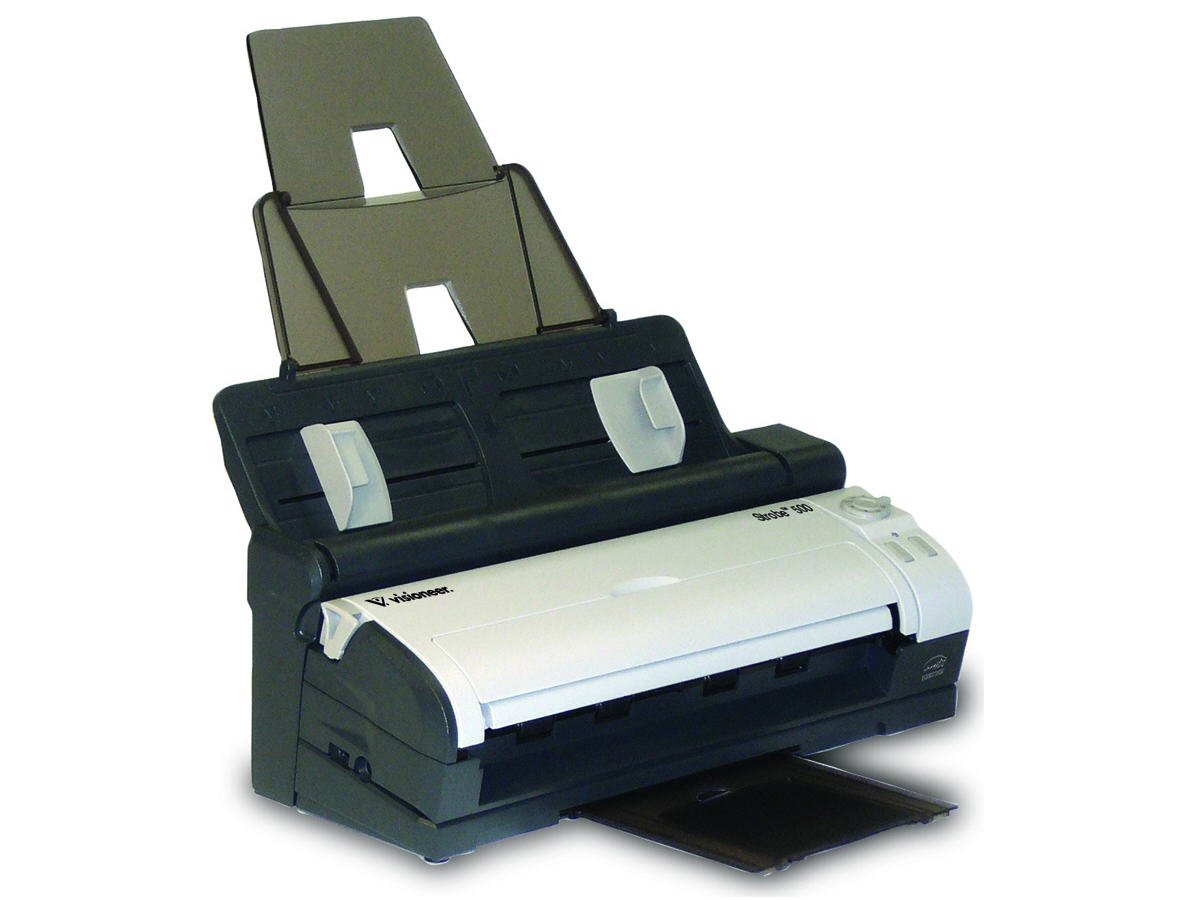


🚀 Scan Smart, Work Fast!
The Visioneer Strobe 500 is a versatile mobile duplex color document scanner that combines high-speed performance with user-friendly features. With the ability to scan up to 30 images per minute and a 20-page automatic document feeder, it’s designed for efficiency. The scanner can be used in a docking station or as a portable USB-powered device, making it ideal for both office and travel use.
| Item Weight | 5.5 Pounds |
| Minimum System Requirements | Windows 7 |
| Standard Sheet Capacity | 20 |
| Greyscale Depth | 8 bits |
| Connection Type | USB |
| Resolution | 600 |
| Supported Media Type | Receipt |
| Scanner Type | ID Card |
L**N
this is one of my best purchases great buy scans good very little editing needed ...
this is one of my best purchases great buy scans good very little editing needed small number of document scan errors with recognition software fewer document feeds errors great web support and upgrades
J**A
Pretty good
The paper feed/rollers often make the scan crooked. the software is great and you can straighten the images, but that takes extra time and there is alway some edge issues.
N**5
Scanner OK, Service Awful
I bought this when our heavily used Scanjet broke down. Assembly and setup were quick and easy. We had a software issue to work through, but I think we're good there. While we were without a dedicted scanner, we used our new Canon Image Class MP4350 for scanning. The Canon does everything (and more) that the Strobe 500 does, just a lot slower and bigger. Overall, I am happy with the scanner and think it will serve us well.My big beef was with the service. Since we use a dedicated scanner several times a day, I ordered this for next day delivery and paid for it. The scanner wasn't shipped by Price Pros until 6 days after the order, and then was shipped ground!! If Amazon and thier store fronts don't ship items out in a day or two, they should let us know.Also, the Amazon-suggest USB cable is not the correct type. If you need a cable longer than the 4 ft cable provided, you need a type B.
V**O
MAC support misrepresented
First off, good points:Build quality feel solid. The device firmly fits into the docking base and scans fast. As a recent Mac convert, I was looking for a full feature scanner for the Mac. I primarily intended to use the scanner to rapidly scan receipts and invoices. I purchased this unit because it claimed to produce searchable PDFs.Now for the bad news...First off, no drivers for Mac!!! No TWAIN or ISIS support. Only a third party product ExactScan Lite is bundled. The software seems good enough, but only the pro version produces searchable PDF's (OCR function). The lite version can only produce PDF, not tiff, jpeg or any other image format. The other bundled software, Presto! PageManager can do OCR but only on image formats. So you are a bit out of luck.The manufacturer's website says:Text Searchable PDFIf you can't search your scanned documents by their content, you might as well be looking at paper again. The Strobe 500 can scan automatically to searchable PDF. It preserves the integrity of the scanned page so that layout, signatures, logos, photos, etc., remain intact, but the text is OCR'd so that you can search the document by its content. This is very powerful when looking for a single document among hundreds or thousands.But the undisclosed caveat is that you must be running windows to get the searchable PDF. I called support and after several explanations, they conceded that the scanner really cannot produce a searchable PDF on a Mac. I did look into the Pro version of ExactScan but it's another 100 euros to purchase and has significant issues with the de-skew and auto crop features. Overall for $400 a real disappointment. I just cant imagine a scanner vendor this day and age shipping a scanner out the door without drivers.I guess I will be returning this unit. I have ordered the Epson scanner which ships with TWAIN drivers. Hopefully it will work better with Mac.So if you are running Windows, I would not necessarily dismiss this scanner. I was able to get it working in a Windows XP Fusion VM, but for $400 that is no solution for me.
K**S
Complicated and somewhat dysfunctional
I do a lot of research before I buy something like this, I compared many choices before deciding this was the one based on my overall needs. And I did something else, I bought a local Neat Receipt to try out the whole concept of scanning in everything, to make sure I was headed down I path I wanted to travel. Well, the Neat Receipts was/is great! It made me comfortable ordering exactly the right scanner I wanted knowing this concept was going to be a very good thing. I Knew from 30 minutes in that I would keep the Neat Receipt even after I got the big one I was waiting for (not waiting that long really, but I'm not very patient either). I waited with the "bigger" stuff for the Visioneer. When the Visioneer came I unpacked it and downloaded everything to my net book and then the desktop, registered all the things, etc... the anticipation and research left no doubt it was to be a keeper and very well used so I wanted to start off ready to rock and roll on everything. What a let down!The software packaged with it is great (or supposed to be) - but it was all so complicated to learn (not intuitive) - and it is Feb already with tax season approaching - after using all that time on research who has time (or energy) to "learn" new programs? AND even when I "got it" enough to do what I needed to do (and realized the software would be great once I took time to learn it better some other time) - it wouldn't scan half the stack I was using for the first try! Jams, feeding so fast it was crazy - it couldn't keep up and neither could I with all the double feeds and such... so I went to smaller bites of papers... all with difficulty. Then I got error messages about VRS, looked it up and followed the directions to reload programs - and got the messages AGAIN. When I finally resolved that, it would still skew pages (badly), say there was nothing loaded when it was (due to less than perfect paper edge going in), etc. I was down to ONE Page to work with to try and work this out. Frustrations galore.I really wanted to keep this thing I had put so much energy and money and anticipation into. Keep in mind the Neat Receipt. Once I got the Visioneer to take a page correctly I did some tests - comparing the Neat Receipt (@ 1/4 of the price of this at Sams Club) to this thing that should have blown the Neat Receipt to pieces. It was the other way around! The Neat Receipts got things done faster, and better, and EASIER from the get go. It took wrinkled (this doesn't), it took tiny and thin (this has problems though it will take it if you MAKE it), it even took stapled together receipts (I didn't dare try that with this one) and Always Always Always the finished result was faster on the Neat Receipt. Didn't matter if I was scanning to PDF or Word or Excel or the respective internal paper handling programs - Neat Receipts won every time! Even though to get to Excel and such I had to do more steps to get there in Neat Receipts - it was still done and filed long before this one could get one page handled and placed. On quality too! (I couldn't believe it) Neat Receipts read everything, and this garbled a few things up. I was ready to do my first ever return to Amazon... printed the postage thing and everything... but I REALLY wanted to keep this thing I had so much into; so I thought maybe the big picture problem was because I had loaded everything on the desktop after the laptop, like maybe I didn't have the right stuff happening on the second computer (I know, it was stretch, but maybe). So I took my whole little show to the laptop - and I got errors from the Visioneer it wouldn't even identify that made Paperport shut down completely and more. After about an hour of messing around on the laptop and reloading things again, I gave up. Neat Receipts was still walking all over this thing in pure no kidding FUNCTION. I am going forward with the return. And I am getting a Neat Desk to meet my higher volume and double sided needs. Regardless of all the reviews (on Amazon and in the Magazines and all that) something tells me I will be very happy with the NeatDesk and the Neat Receipts together. I was not happy with this editors choice and highly marked in reviews monstrosity.The Visioneer is compact and cool looking, and does feel very sturdy however. And I like how the feeder folds to cover it. Hard to "get" the number dial controller on the front (tiny learning curve). The Feeder insides has some issues... just doesn't grab pages well, and when it finally does it grabs two or three.
J**E
Great products, work well
One of many Visioneer scanners that I own. Great products, work well, and the PaperPort software is brilliant.
K**N
OK
You can't deskew it like some other scanners and often the page is angled although I fed it in straight. Clear picture with white background unlike another scanner I had which tinted the page. Easy to use.
S**
Needs better software.
Wish it came with better software. No option to scan to .jpeg file.
Trustpilot
3 weeks ago
2 weeks ago